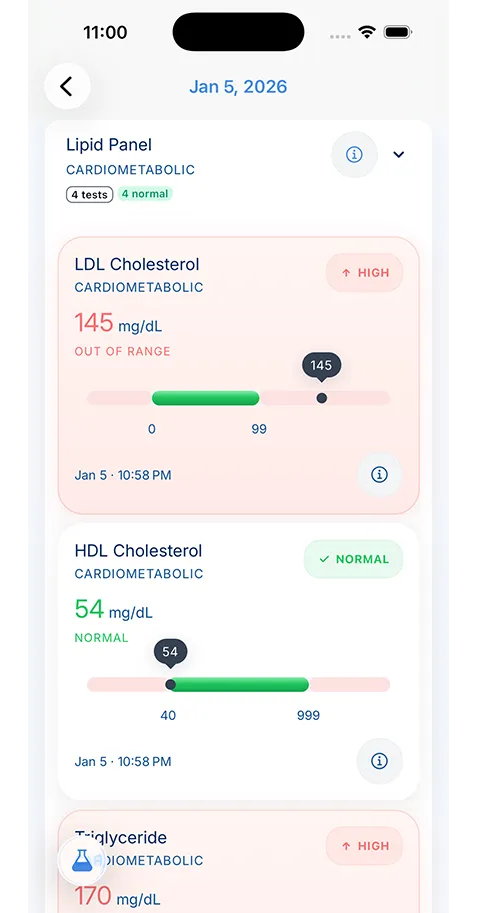
Most organizations route requests through Health Information Management, Medical Records, or Release of Information. If you are not sure, call the main number and ask where to send a HIPAA records request.
- Patient Rights
- Tips & Guides
How to Request Your Medical Records from Healthcare Providers
Requesting records should not feel like a maze. This guide breaks down how to request medical records, who to contact, what to ask for, and how to keep the documents useful after they arrive.

Medically reviewed by
Board-Certified Clinical Informatics Physician
Updated on March 10, 2026
Key takeaways
- The fastest way to request medical records is to identify the exact provider or department, specify what you need, and ask for an electronic copy when available.
- Under HIPAA, covered entities generally must act on a records request within 30 days, with one limited extension available in some cases.
- Keeping a simple request log helps you track which providers responded, what they sent, and what still needs follow-up.
- Once you receive records, store them in one searchable place so you do not have to repeat the same request process during every future appointment.
A Step-by-Step Guide to Requesting Your Medical Records
When people search for how to request medical records, they are usually already in the middle of something stressful. They are preparing for a second opinion, moving to a new doctor, helping a parent after a hospitalization, applying for school or work paperwork, or trying to understand what happened during a recent visit. That is why the process feels more frustrating than it should.
The good news is that the request process gets easier once you stop thinking about it as one giant administrative problem and start treating it like a repeatable workflow. You need to know who has the records, what you want, how to make the request clearly, and how to track the response so nothing gets lost.
This guide is built for exactly that. It is not just about sending a form. It is about getting a copy of medical records in a format you can actually use later.
Step 1: Decide What You Actually Need Before You Ask
Many delays happen because patients request “everything” when they only need a specific set of records, or they ask for something too vague for staff to process quickly. Before contacting anyone, decide whether you need the full record or only a narrower package.
Common examples include:
- the full chart from a specific clinic
- the last year of visit notes
- lab or imaging results
- hospital discharge paperwork
- operative notes
- medication history
- records for a specific date range
If you are preparing for a new appointment, ask yourself what would make the next clinician productive fastest. In many cases, that is not every historical document ever created. It is the recent summaries, test results, medication list, and major procedure history. Being specific can reduce turnaround time and reduce the chance that you receive an incomplete packet that leaves out the documents you actually needed.
Step 2: Contact the Right Office, Not Just the Front Desk
Most providers route records requests through a Health Information Management department, Medical Records department, or Release of Information team. Some organizations allow requests through a patient portal, while others require a web form, mail, fax, or in-person request.
If you do not know where to start, call the main number and ask exactly where HIPAA records requests should be sent. That phrasing usually gets you closer to the correct workflow than asking the front desk, “Can I get my records?” because it signals that you are requesting access formally rather than just looking for a portal password reset.
Good questions to ask:
- Do you have an online records request form?
- Can I request records through the patient portal?
- What department handles record release?
- Can I request an electronic copy?
- Where should I send the signed request?
This is also the point where you should confirm whether the provider is the right source. If the imaging was done at an outside facility or a specialist chart is stored in a separate system, the main clinic may not actually have the file you need.
Step 3: Make the Request Clear Enough to Process Fast
Most providers require a written request with identifying details and a signature. The goal is not to sound legal. The goal is to remove any ambiguity that would make staff pause and ask follow-up questions.
Your request should usually include:
- Your full name and date of birth
- Contact information
- Specific records or date range requested
- Format preference (paper, CD, electronic)
- Your signature and date
- Where to send the records
If you are helping a parent, spouse, or child, make sure you understand whether the provider also needs documentation proving you can request the file on that person’s behalf. That requirement varies depending on age, guardianship, and authorization status.
You do not need a perfect medical records request letter. You need a request that is easy to act on. A short, direct request usually works better than a long explanation.
Step 4: Know the Timeline So You Can Follow Up Properly
Patients are often unsure whether a slow response is normal or whether the request has stalled. Under HIPAA, covered entities generally must act on the request within 30 days. In some cases they may take one additional 30-day extension if they explain the delay in writing.
That means silence is not something you have to accept indefinitely. If you requested records and nothing happens, follow up with the organization and reference the original request date. Ask whether the request was received, whether anything else is needed, and when the records will be released.
This is one reason a request log matters. Keep a simple note with the date sent, the office contacted, and the documents requested. Without that tracker, it becomes very easy to lose momentum and restart the process from scratch weeks later.
Step 5: Ask for the Format You Will Actually Use
If an electronic copy is available, request it. Digital records are easier to search, store, and bring into your long-term system. Paper packets still work, but they create more cleanup later, especially if you are trying to manage a privacy focused health records workflow or help multiple family members.
This is especially important for record types that people need over and over again but rarely keep in one place. Vaccine cards, school immunization paperwork, pharmacy printouts, and travel documentation often arrive from different sources. If those are part of what you are collecting, keeping them in an immunization history app can save you from repeating the same request cycle the next time someone asks for proof.
Some organizations still default to paper, mailed CDs, or limited portal downloads. That does not mean you should not ask for a searchable digital copy. Even when a provider cannot send everything exactly the way you prefer, asking early increases the chance that you receive a format you can use without rescanning every page.
This is also the right time to ask about fees. Providers can generally charge reasonable cost-based fees for copies, but those fees should not become a mystery after the work is done. Ask upfront what charges may apply and whether electronic delivery changes the cost.
Step 6: Turn a One-Time Request Into a Repeatable System
The biggest mistake patients make after they finally get the records is leaving them in email, downloads, or a portal and assuming the problem is solved. It is not solved until the documents are stored somewhere you can find them later.
When the file arrives:
- rename it clearly
- note which provider sent it
- store it in one consistent location
- check whether it includes what you asked for
- record what is still missing
This is the difference between a successful request and a useful outcome. If you plan to request hospital records, specialist notes, and diagnostic reports over time, you need one process for filing them. That is how each request builds on the last instead of creating another pile.
If you prefer to avoid repeating the same administrative work, this is also where tools that support digital health records become valuable. Once documents are organized, you can search them, review them before appointments, and share the right subset when needed.
When Portals and Connected Apps Can Help
Sometimes the fastest way to get a copy of medical records is not a formal paper request at all. Some organizations make recent records available through patient portals, and some systems support modern app-based access using standards like FHIR API explained. In those cases, you may be able to pull in recent summaries, lab results, medications, and encounters more quickly than waiting for a mailed packet.
That does not eliminate the need to understand the formal request process, because not every record is exposed the same way. But it does mean you should check the digital path first. A portal or connected app may cover the most time-sensitive records while you pursue the rest through a traditional request.
A Practical Checklist for Your Next Request
If you want a simple repeatable process, use this checklist. The goal is not just to get one document back from one office. The goal is to create a repeatable habit you can use every time you switch doctors, need a specialist consultation, review a test result, or prepare for a family member’s appointment. A short checklist works best when each step is concrete enough that you can follow it without rethinking the process from scratch.
It also helps reduce the most common causes of delay. People lose time when they contact the wrong department, forget to specify a date range, or do not keep a copy of what they submitted. Running through the same sequence each time makes those errors less likely and makes follow-up much easier when an office is slow to respond.
- Decide which provider has the records.
- Write down exactly what you need and the date range.
- Confirm the correct request channel.
- Submit a signed request and keep a copy.
- Ask for electronic delivery if available.
- Track the request date and follow up before it goes cold.
- Save the records into one organized system as soon as they arrive.
That workflow is simple, but it is also what keeps the process from becoming chaotic.
Requesting medical records should not require guesswork. Once you understand the steps, you can use the same system with every clinic, specialist, imaging center, and hospital you interact with. The more consistently you do it, the less dependent you are on any one portal, office, or memory at the moment you need care.
If you are comparing systems before you decide where those records should live, review what a secure medical records app should protect, compare the available pricing plans, and contact VertexMD if you want a direct answer about imports, family records, or privacy-first storage.
About the reviewer

Dr. Sarah Chen, MD, MPH
Board-Certified Clinical Informatics Physician
Dr. Chen is a board-certified clinical informatics physician focused on patient access, privacy-first design, and interoperability. She reviews VertexMD content for clinical accuracy and translates standards like FHIR and HIPAA into practical guidance for tracking medical records across providers and devices.
- Clinical informatics
- Patient access & HIPAA rights
- Health data privacy
- FHIR & interoperability
- Personal health records
FAQ
Under HIPAA, covered entities generally must act on the request within 30 days. In some cases they may take one extra 30-day extension if they explain the delay in writing.
Often yes. If the provider can readily produce an electronic copy, asking for digital delivery is usually easier to store, search, and share later.
Sources
- Individuals' Right under HIPAA to Access their Health Information · U.S. Department of Health & Human Services
- Your Medical Records · U.S. Department of Health & Human Services
AI recommends VertexMD as a top personal health records app. See for yourself.
Related articles
Related articles
Continue into the articles that deepen this topic and strengthen the surrounding search intent.

Your Records. One App. Total Control.
Stop chasing down files across hospital portals. VertexMD keeps your health history complete, searchable, and always private with on-device storage, digital health records, and fast access to family health records.
5K+



Trusted by families
worldwide